

INVOICING · EXPENSES · PAYMENTS · TAX
Say the job.
Ovaro does
the paperwork.
Create invoices, take payments and stay on top of tax.
 App Storecoming soon
Private by designLess admin. More time for your business.Your data stays yours
One app
Everything your business needs to keep moving.
One app for the money side of the job — not five that never talk to each other.
Invoices out
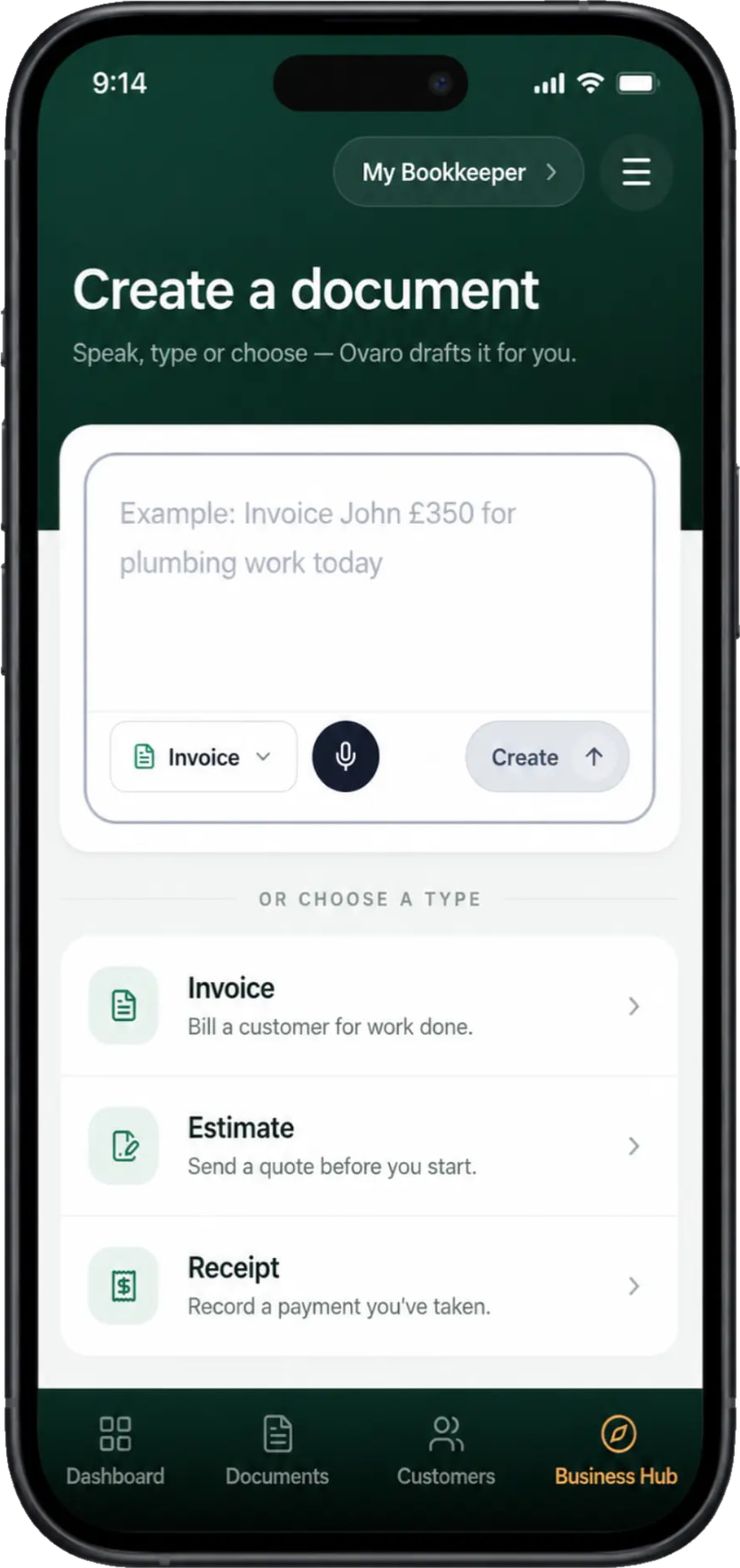
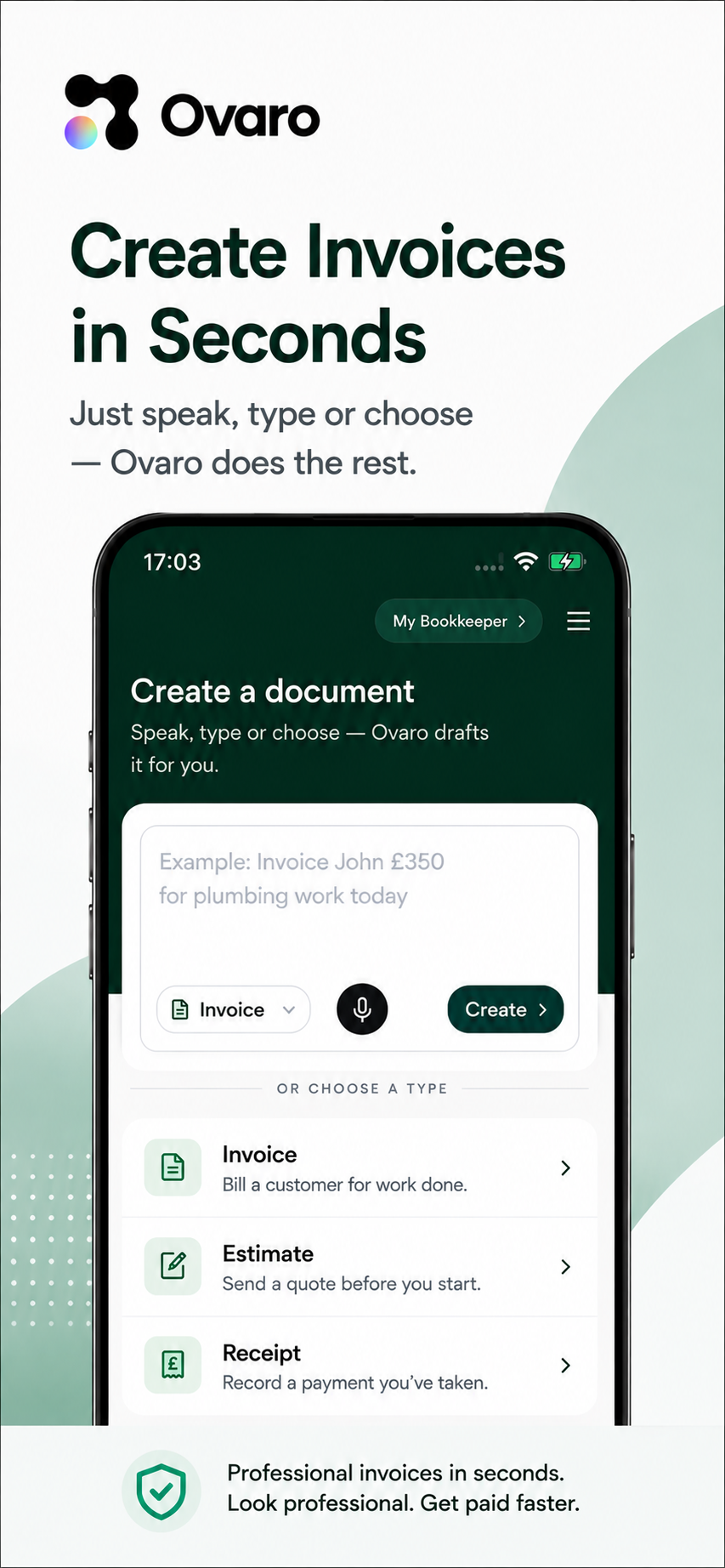
Speak or type the job. Ovaro writes it, prices it and sends it for you.
Payments in
A pay link on every invoice, or take the card in person on your phone.
Records straight
Receipts read, mileage logged and tax set aside as the work happens.
App Storecoming soonOn Android today. iPhone coming soon.
Invoices, estimates & receipts
Every document in one list.
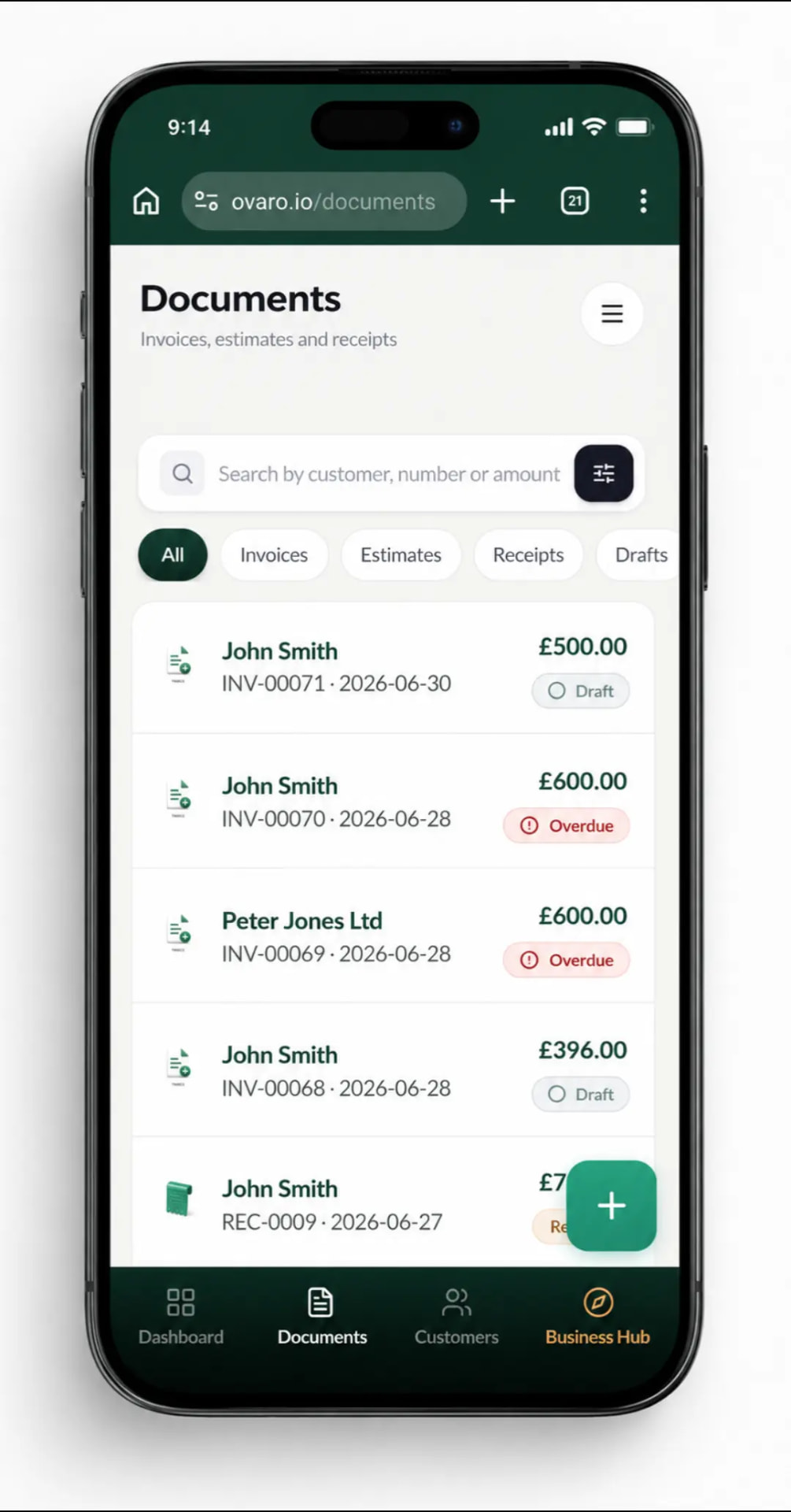
This is the Documents screen in Ovaro: invoices, estimates and receipts together, each showing the customer, the amount and whether it's a draft, sent, overdue or paid.
- Search by customer, number or amount
- Filter to invoices, estimates, receipts or drafts
- Overdue is flagged in red, so nothing slips
- Overdue flagged in red
- Invoices · Estimates · Receipts
Getting paid
Type the amount. Take the payment.
The Payments keypad does both jobs: hold the customer's card or phone against yours with Tap to Pay, or send a payment link they can pay online.
- Tap to Pay in person — card, Apple Pay or Google Pay
- Or share a payment link from the same screen
- Paid invoices mark themselves paid
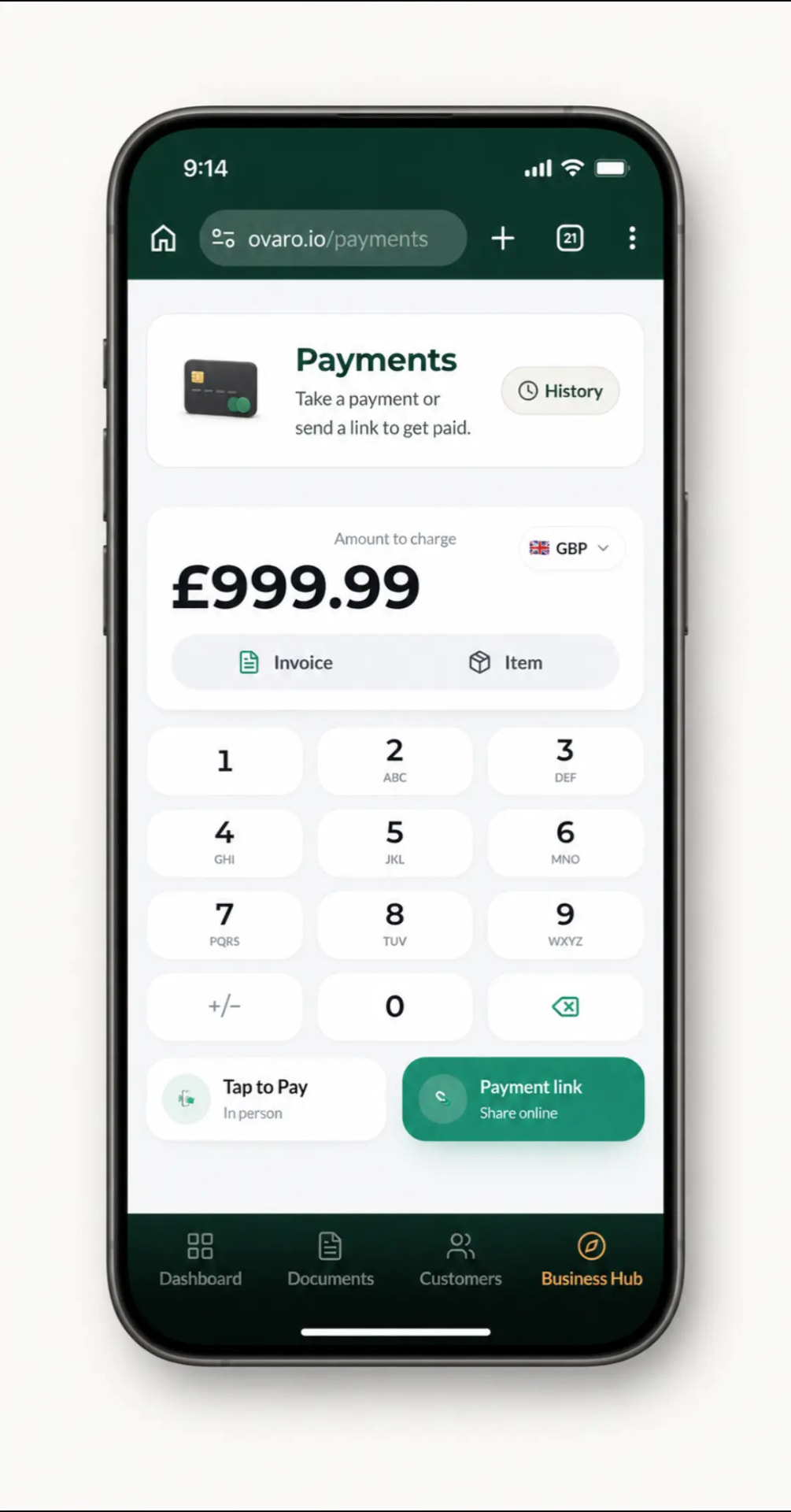
- Tap to Pay in person
- Or send a pay link
Expenses
Expenses, sorted as you go.
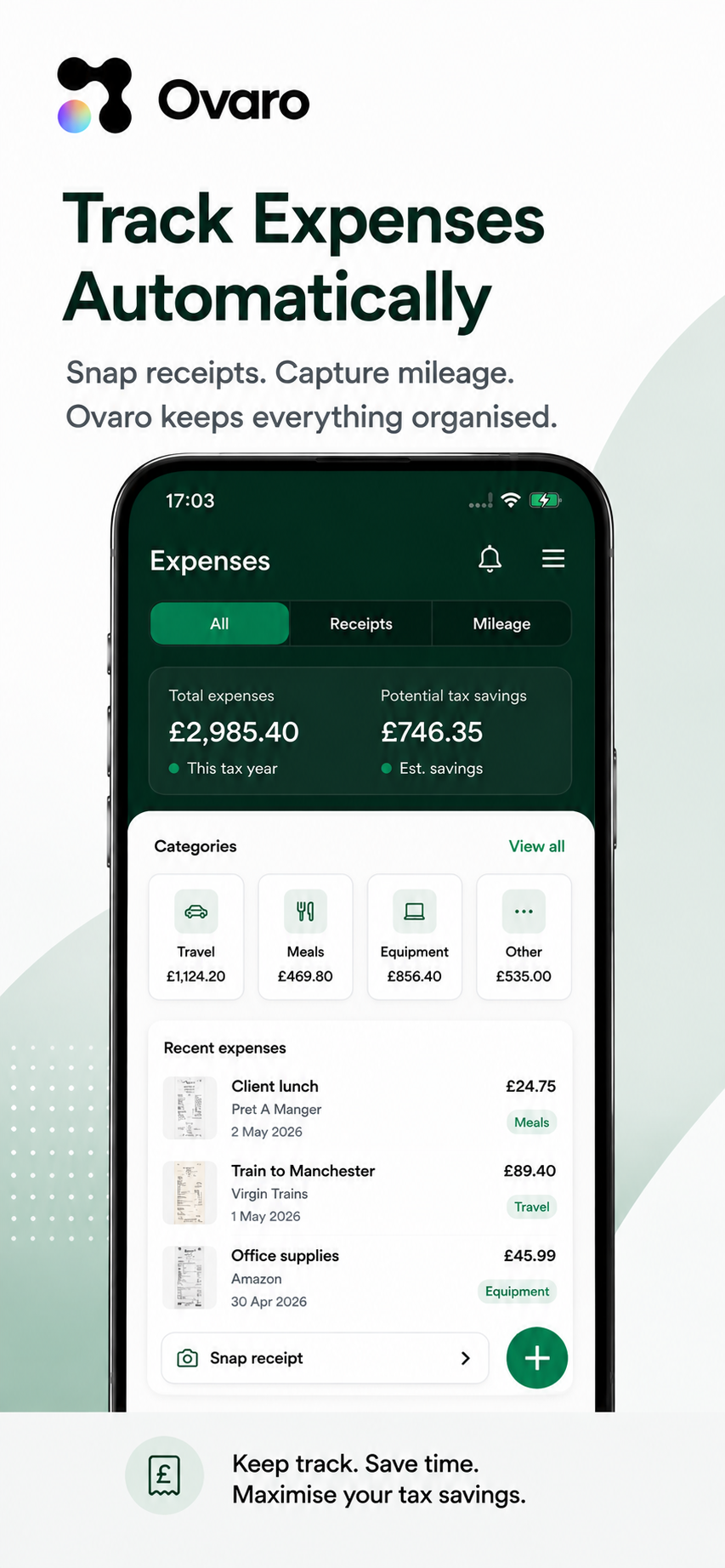
Photograph the receipt. Ovaro reads the shop, the amount and the VAT, and files it in the right category.
- Snap it once, it's filed
- VAT split out for you
- Kept in HMRC categories
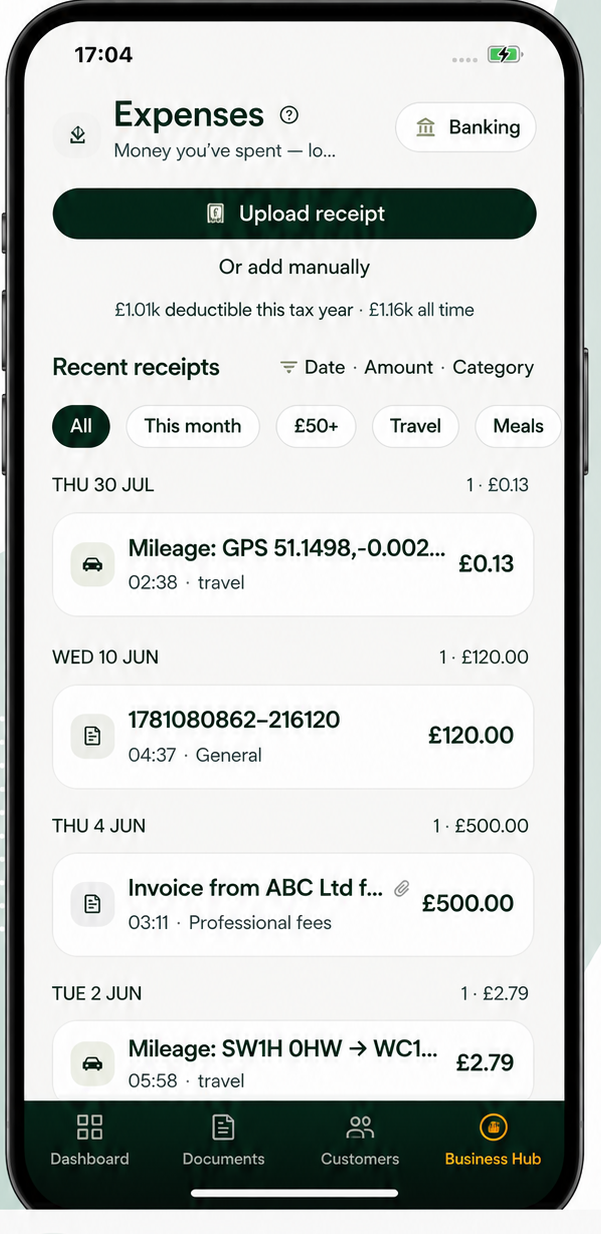
- VAT split out
- HMRC categories
Mileage
Start the trip. Drive. Stop.
The Mileage screen tracks the journey by GPS and shows the distance, the time and exactly what you can claim at the current HMRC rate — or log a trip by hand.
- Live distance and claimable value
- GPS tracking or manual entry
- Every trip saved for your records
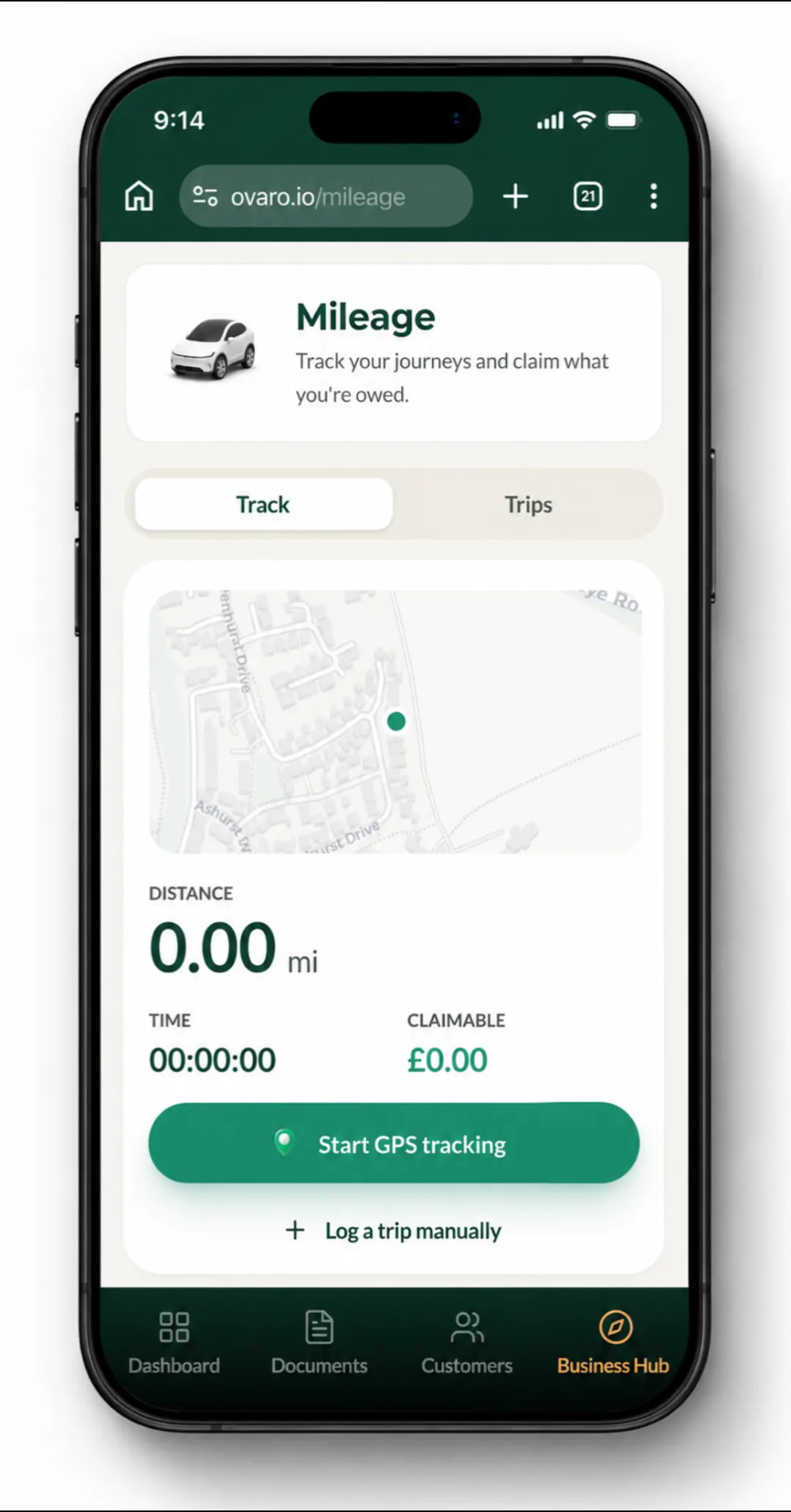
- Live claimable value
- HMRC rate applied
Your numbers
Know where your business stands.
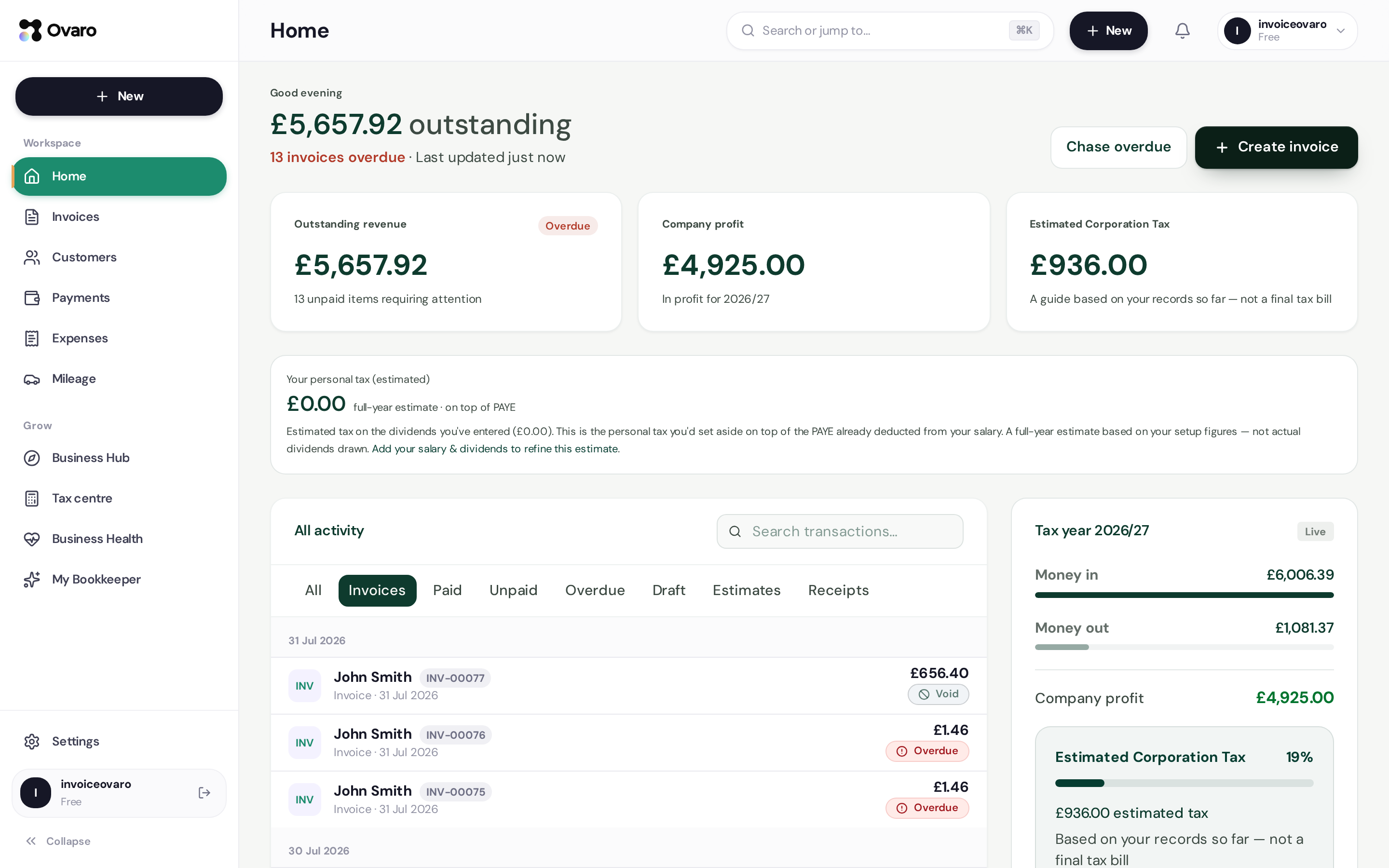
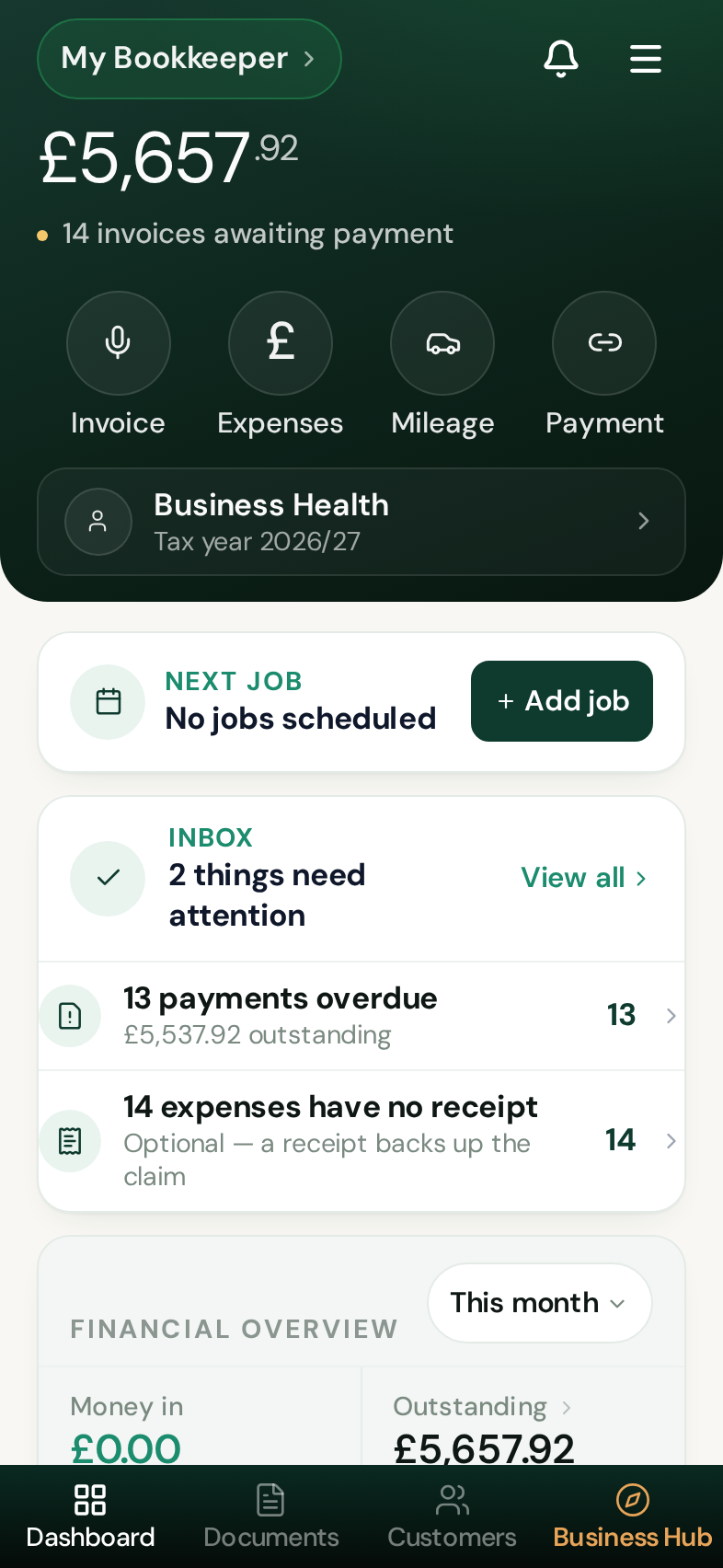
Money in, what's owed, what you've spent, what's left — updated as you work.
- Money in
- This month
- Outstanding
- Still owed
- Expenses
- Filed as you go
- Set aside
- For tax
One running picture of the business
Every invoice, payment, receipt and mile feeds the same numbers — so the dashboard is always current, on your phone or your laptop.
Tax
Know what to set aside. No nasty surprises.
Ovaro estimates what you'll owe from your own records and keeps a running figure, so the deadline is never a shock. Filing stays with you or your accountant.
- A live estimate from your records
- Records kept in HMRC categories
- Export for your accountant
My Bookkeeper
Ask questions about your own business.
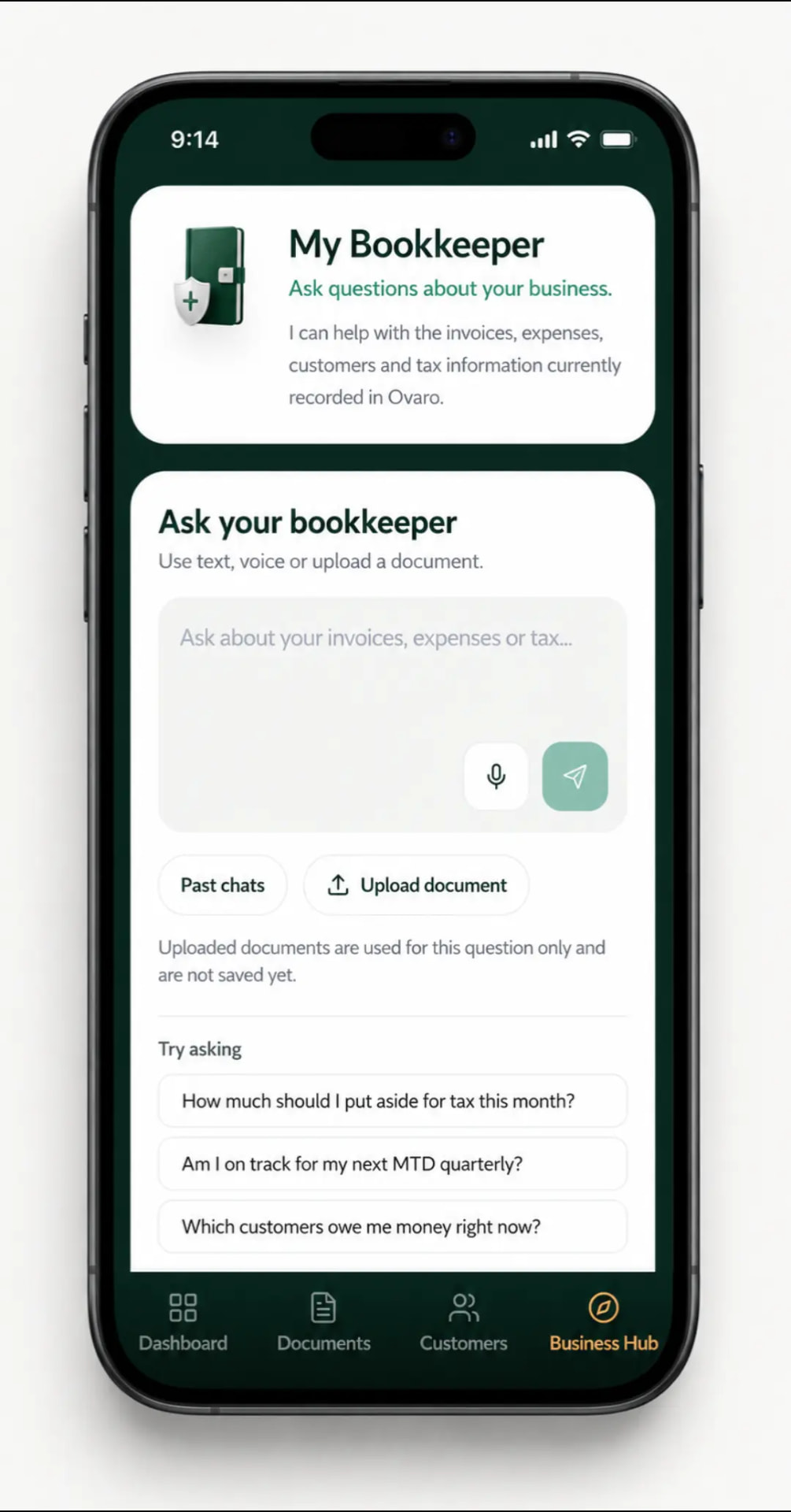
My Bookkeeper reads only what's recorded in your Ovaro account — invoices, expenses, customers and tax — and answers in plain English. Type it, say it, or upload a document.
- How much should I put aside for tax this month?
- Am I on track for my next MTD quarterly?
- Which customers owe me money right now?
Inside the app
See it before you download.
Two taps from opening the app to a sent invoice, and every receipt and mile filed behind it. This is the real thing — not a concept.
- Speak it and the invoice drafts itself
- Receipts read, categorised and kept
- Mileage logged at HMRC rates
App Storecoming soonOn Android today. iPhone coming soon.
Give yourself your evenings back.
Less chasing invoices, sorting receipts and updating spreadsheets. One app instead of three, and less routine work to pay someone else to do.
One business. One place.
- 01
Run your day
Do the job. Say or snap what happened.
- 02
Ovaro records it
Invoices, receipts and miles filed properly.
- 03
Get paid
Payment link or contactless, on the spot.
- 04
Know where you stand
Profit, what's owed and tax to set aside.
Less than a pint a month.
Month to month, no contract. Cancel from your settings whenever you like.
Premium · recommended
£6.99per month
For anyone running a real workload — everything on, and built around Making Tax Digital.
- Unlimited invoices, estimates and receipts
- Card payments and Tap to Pay
- Unlimited receipt scanning
- GPS mileage at HMRC rates
- Live tax and VAT estimates
- CSV export for your accountant
First invoice free · No card required
Basic
£3.99per month
For the odd invoice, or just getting started.
- Up to 2 documents a month
- Card payment links
- Voice and text Smart Create
- Mileage tracker
Upgrade any time
Trust & answers
Straight answers, no waffle.
- Encrypted in transit and at rest, UK/EU servers
- Only your account can read your records
- Card payments handled by Stripe — we never see the card
I'm not great with tech or accounting — is Ovaro built for me?
Yes. You say or type what happened ("invoice Dave £400 for fitting a sink") and Ovaro does the formatting, the maths and the VAT. If you can send a text, you can run your books.
How do I get paid?
Every invoice can carry a Pay button, or you can take a contactless payment on your phone. When it's paid, the invoice updates itself — no chasing, no ticking off.
Will this keep me right with HMRC and Making Tax Digital?
Ovaro keeps a digital record of every sale, expense and mile in the official HMRC categories, so your quarterly figures are ready for Income Tax and VAT. Filing stays with you or your accountant.
Can I track expenses and mileage too?
Snap a receipt and Ovaro fills in the shop, date and amount. The mileage tracker uses GPS while you drive, then turns the trip into a claim at the current HMRC rate.
Is my data safe?
Records are stored on encrypted servers in the UK/EU, and the database only returns rows belonging to your own account. Export to CSV any time, or delete your account and take your data with you.
Can I cancel whenever I want?
Yes — month to month, no contract. Cancel from your settings and you won't be charged again.